Modernizing the Enterprise Workspace
Redesigning the command center for a $30B+ grantmaking platform
⏰ Timeline
12 months
👥 Team
1 PM + 5 Engineers
📌 Role
Lead Designer
The Challenge
The current Fluxx dashboard is the front door to a global grantmaking platform, helping foundations and grantmakers manage complex funding workflows at scale.
As the product evolved, the dashboard experience became fragmented; users struggled to find priorities, navigate workflows, and quickly understand what needed attention.
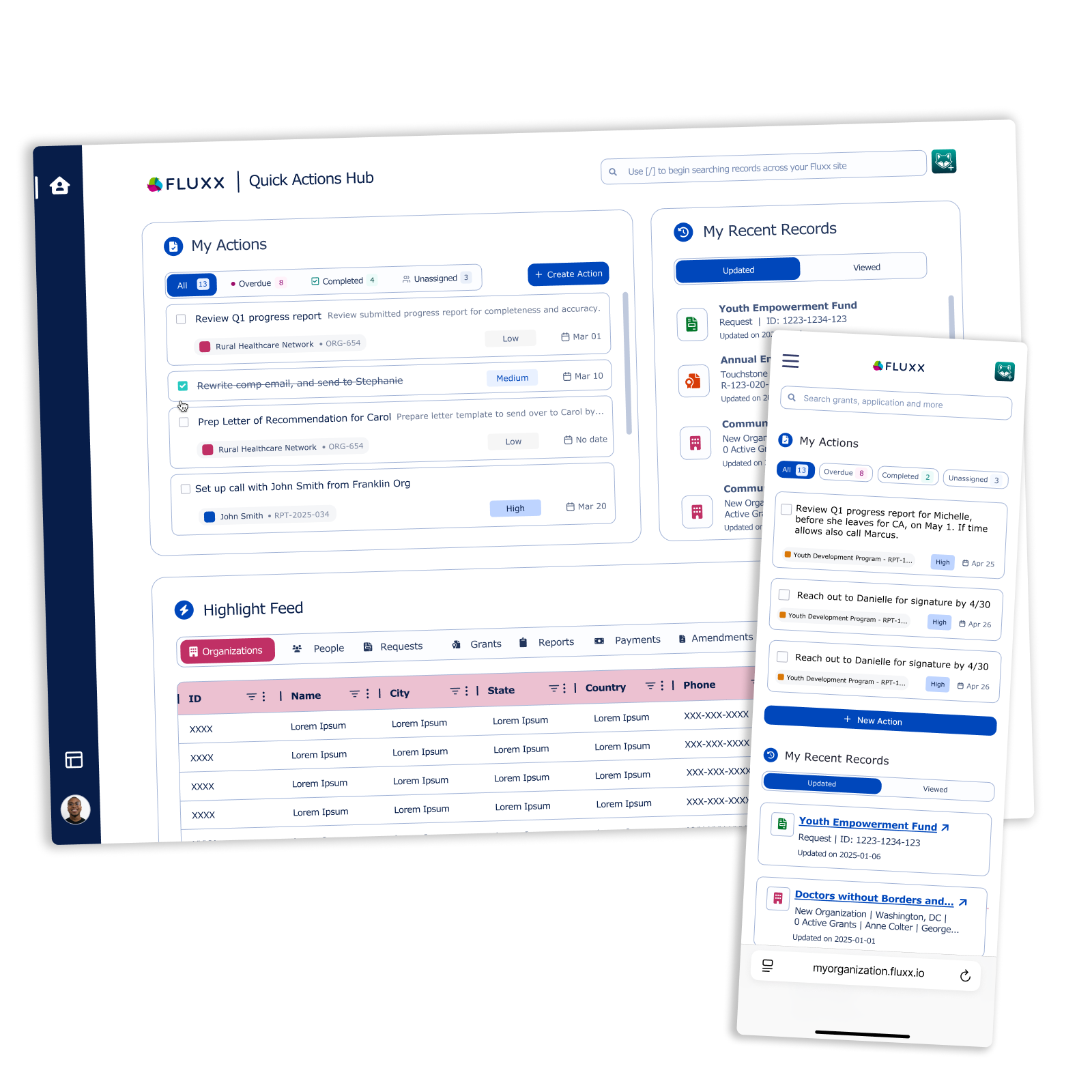
I led the end-to-end redesign, transforming the dashboard into a modern, widget-based workspace that became the foundation for the next generation of the enterprise platform.
Impact Snapshot
$30B+ annual grantmaking volume supported
40% of at-risk major clients retained
+ARR growth supported through platform modernization
Multi-year foundation for enterprise redesign
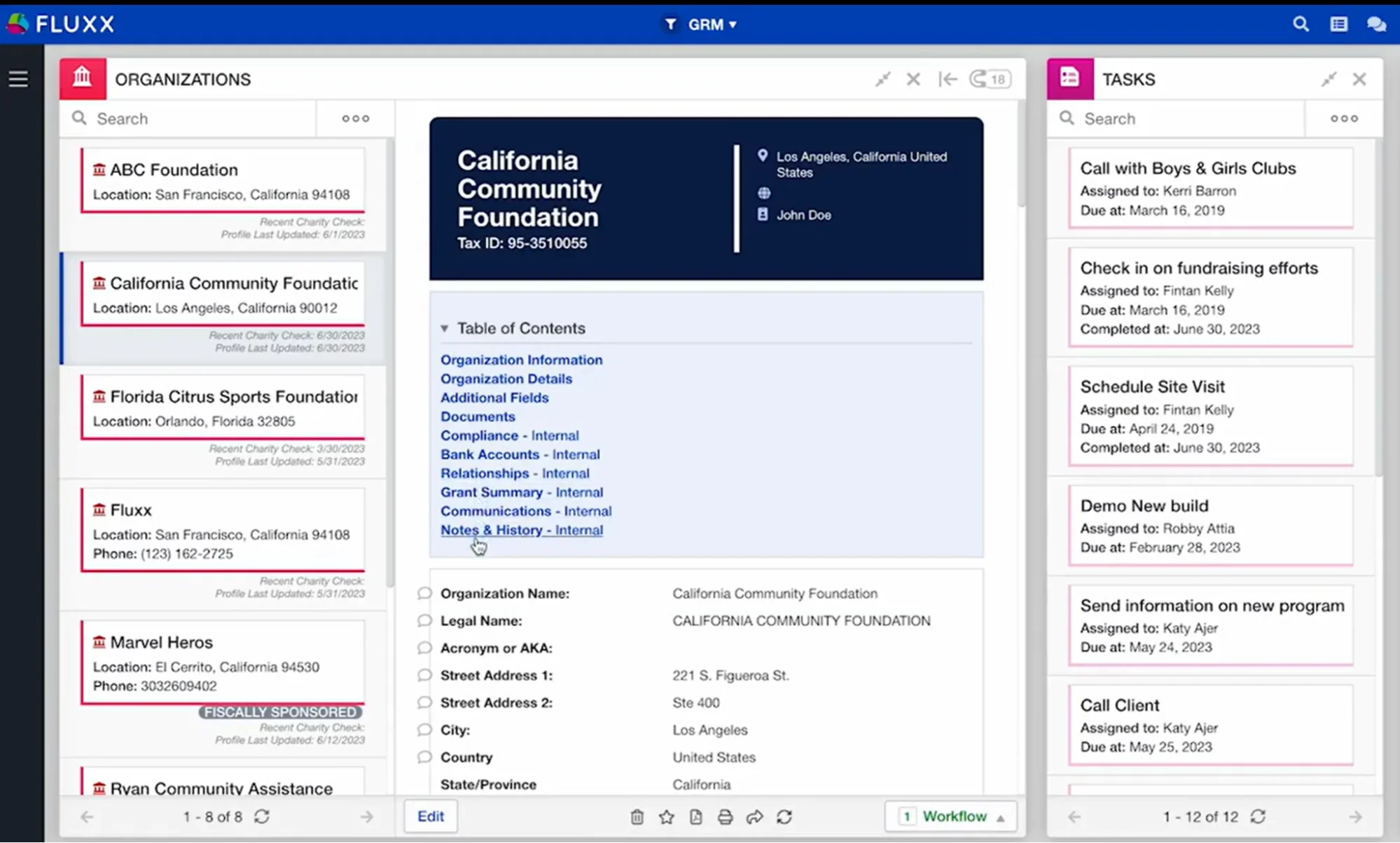
Fluxx Dashboard before re-design
What Customers Said
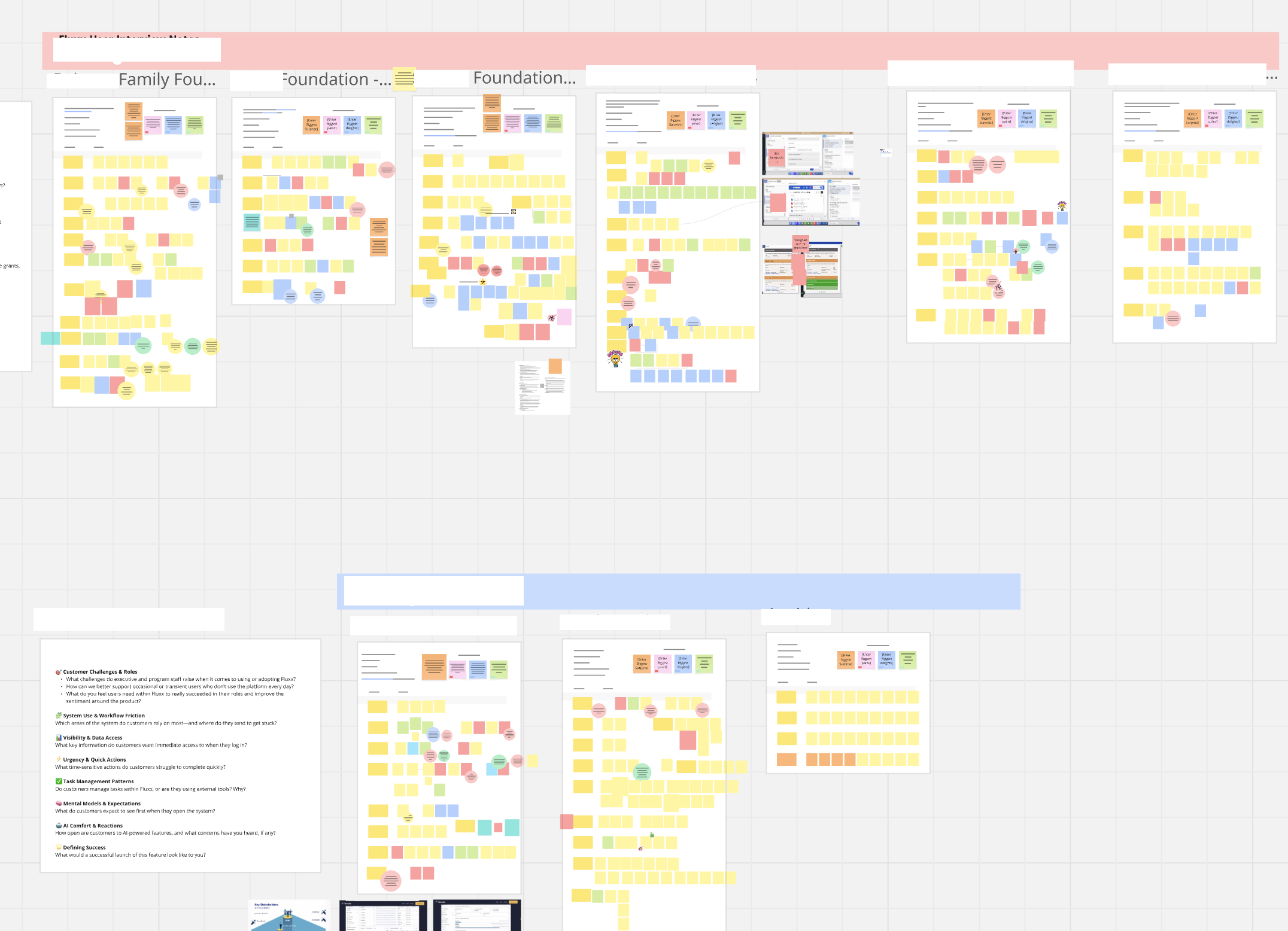
“I’m constantly being asked by our Director where to find things in Fluxx. It takes away a lot of time from my day-to-day work.”
“I want to spend my time on-site with our grantees, not spending hours working in Fluxx.”
“It’s frustrating to come into the system every few weeks and feel like I have to relearn how to use it.”
“I want a product that everyone in my organization will adopt with ease.”
Primary Goal
Build a modern enterprise workspace that helps users quickly understand what requires their attention while providing flexible entry points into the work they perform every day.
Design Principles
Four principles informed every design decision:
Prioritize work, not navigation
Users should immediately understand what requires attention without searching across the application.
Adapt to different workflows
Different roles have different priorities. The dashboard should feel personalized while remaining consistent.
Design for growth
The dashboard needed to support future capabilities without requiring another redesign. Saving time and money on Engineering resources.
Reduce cognitive load
Clear hierarchy, progressive disclosure, and focused widgets help users process information more efficiently.
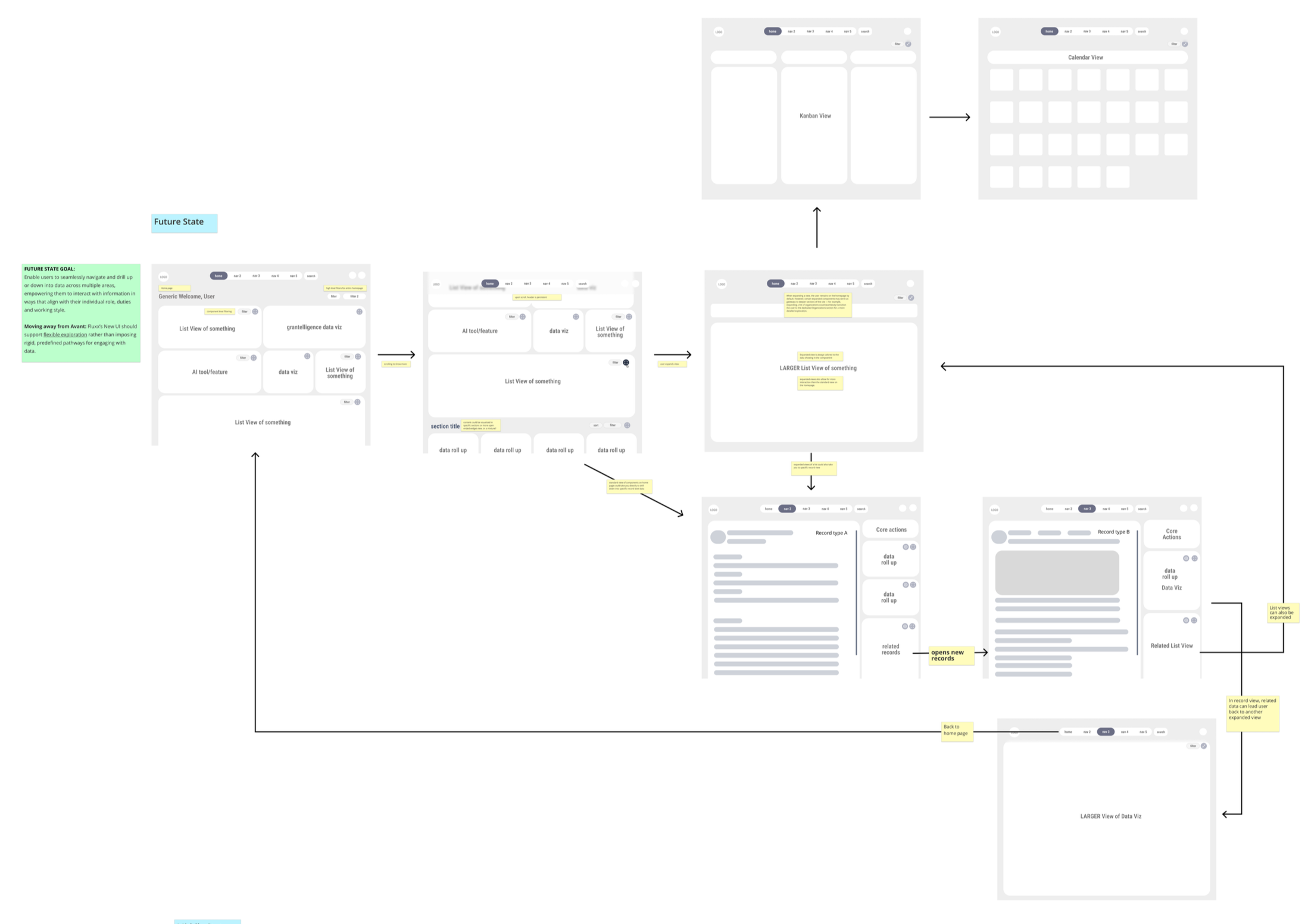
Building for Scale
The dashboard redesign became the foundation for a broader enterprise platform modernization. To evolve a complex product, we needed a repeatable system. Not just a one-time redesign. I partnered closely with Engineering to create a modular component architecture and scalable design system that enabled faster, more consistent product development.
How we built for scale:
Created reusable components: Built a widget-based architecture with Engineering to support future product expansion.
Aligned design and code: Established patterns that connected the design system directly to the production codebase.
Improved team velocity: Reduced repeated design and development efforts through shared components and workflows.
Integrated AI-assisted workflows: Used AI to accelerate component creation, identify UI gaps, and align new features with existing patterns.
Established a foundation for growth: Enabled teams to build new experiences faster while maintaining consistency across the platform.
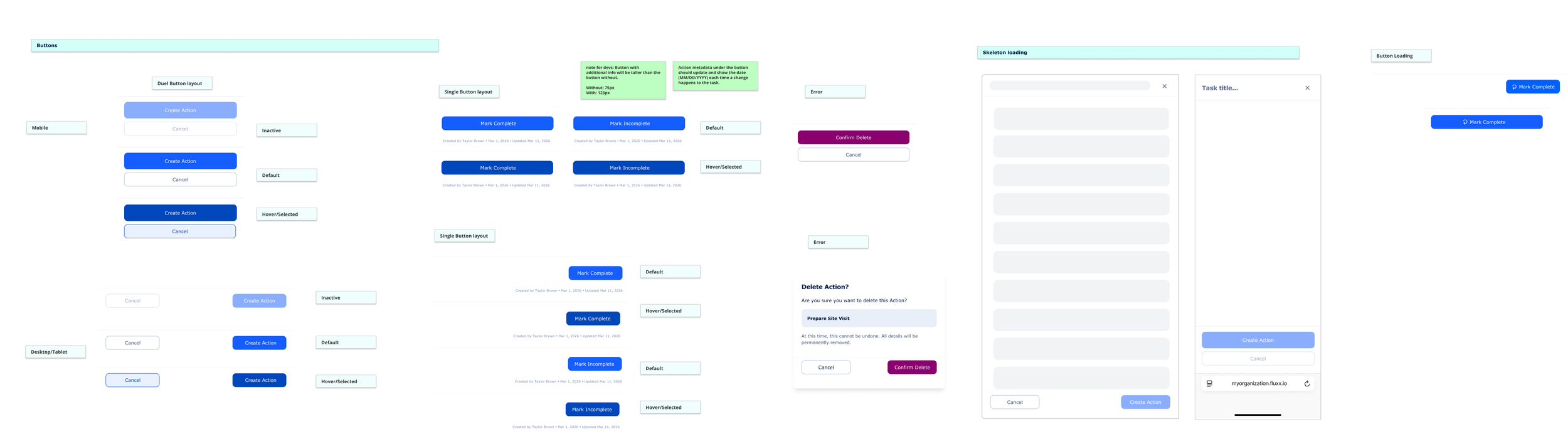
Creating a consistent interaction framework across platforms
Outcomes
The redesign established the strategic foundation for the company's next-generation product experience.
Key outcomes included:
Introduced a scalable dashboard framework for future product modernization
Including flexible widgets that served users across an organization
Reduced friction by surfacing work directly instead of requiring deep navigation
Modernized the visual language of the enterprise product
Created a flexible architecture capable of supporting evolving customer workflows
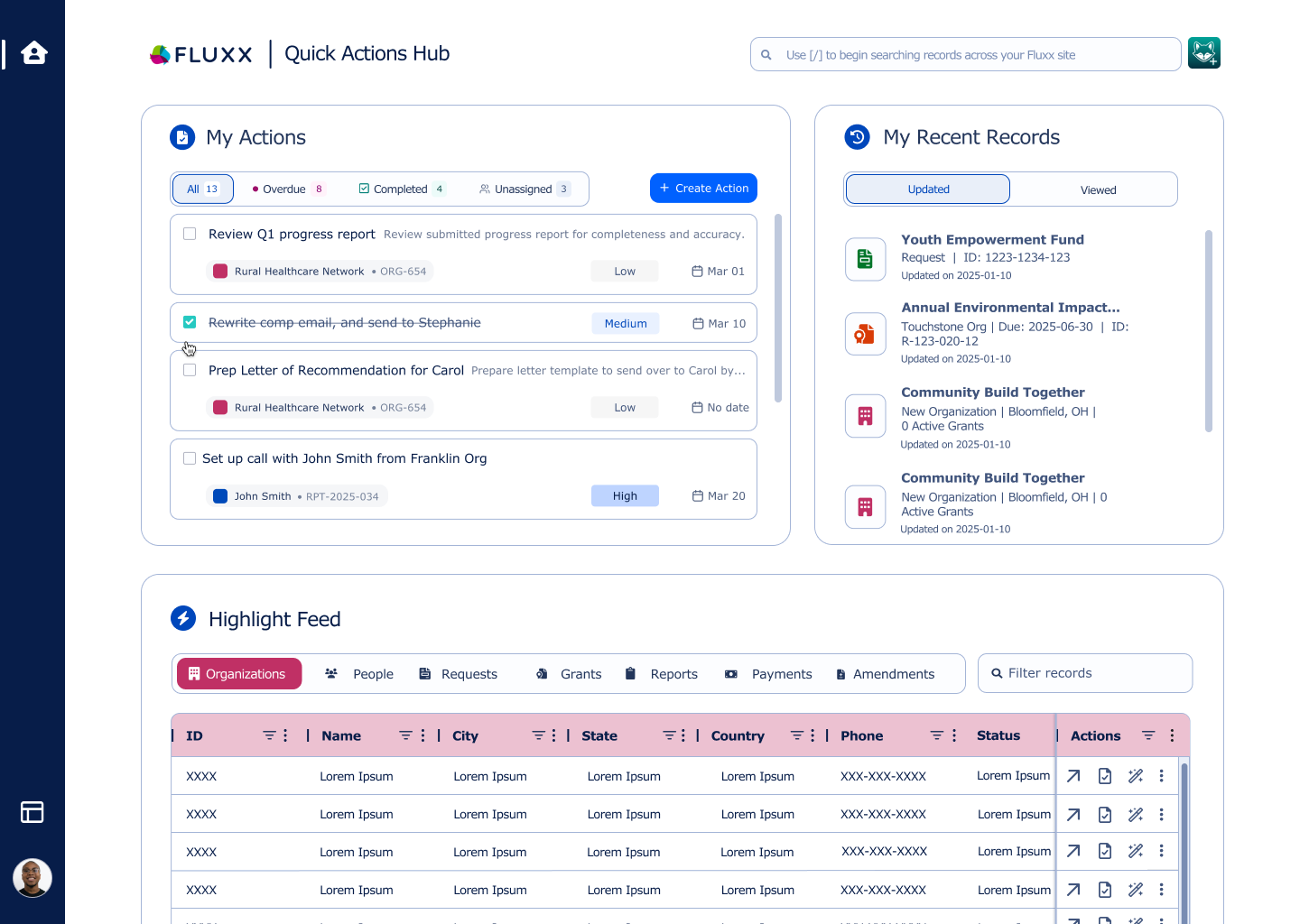
What’s next?
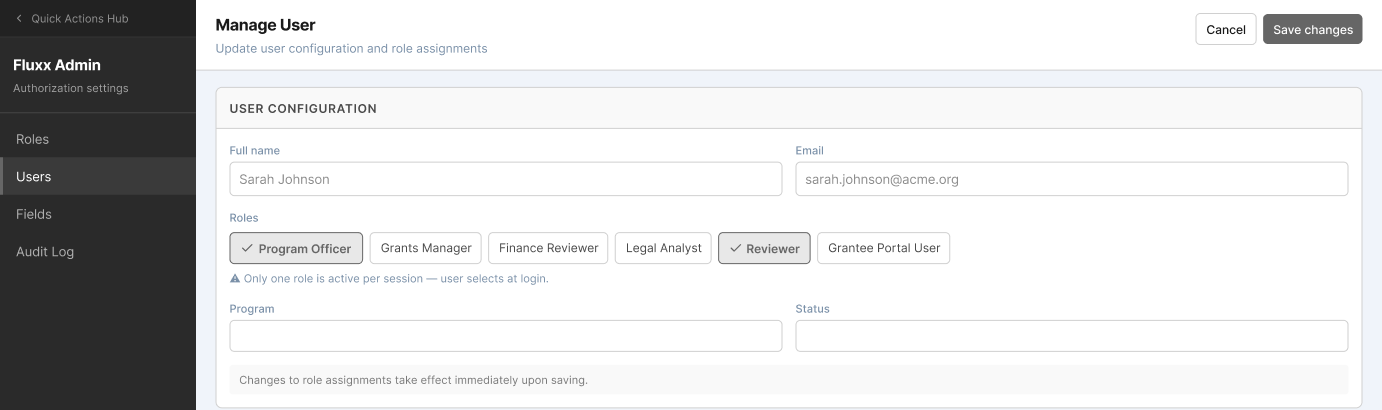
The dashboard redesign established the foundation for a broader modernization of the enterprise platform. The next phase of this transformation focuses on reimagining the admin experience, creating a more intuitive and scalable way for system administrators to manage configuration, permissions, and platform operations.
Next focus area: Building a modern admin experience
Extending the new design system and interaction patterns into administrative workflows.
Redesigning complex configuration experiences to reduce friction for technical and operational users.
Creating scalable patterns for managing permissions, settings, and enterprise-level controls.
Continuing to partner with Engineering to align new UI development with the evolving component library and codebase.
Leveraging AI-assisted workflows to accelerate design exploration and maintain consistency across the platform.
The dashboard was the first step in a multi-year product transformation, establishing the systems and patterns needed to modernize every layer of the enterprise experience.